

Python/JS Apps
The powerful, flexible way to build Keboola apps — any Python or JavaScript framework, full control over the interface, and a server-side backend that can even expose an API for agents.
Python/JS apps are the full-control way to build on Keboola. Where Streamlit gives you a quick, ready-made Python environment, Python/JS apps let you bring your own code — any Python web framework (Flask, FastAPI, Dash), a JavaScript frontend (React, Vue, plain JS), or both together. You build the experience; Keboola handles the hosting, access control, and data connectivity.
Why choose Python/JS
Section titled “Why choose Python/JS”- Any framework, any UI. Full control over look, layout, and interactivity — not limited to a widget set. Build a polished, customer-facing product, not just an internal tool.
- Full-stack. A JavaScript/React frontend with a server-side backend (for example, an Express or FastAPI API) in one app.
- Server-side data access. Your Storage token stays on the server; the browser never sees it. Query Keboola Storage (via the Query Service / Storage API) from your backend and shape exactly the data your UI needs.
- Expose an API — or an MCP server. Because there’s a real backend, the app can expose an API (or an MCP server) so another agent or service can call it, not just human visitors.
- Your Git workflow. Develop in your own editor and Git account and sync the app to your project — production-grade, versioned development.
Python/JS or Streamlit?
Section titled “Python/JS or Streamlit?”- Reach for Python/JS when you want a rich or customer-facing app, a custom frontend, a backend/API, or full control. See below to start building.
- Reach for Streamlit when you want the fastest path for a simple internal data tool in pure Python.
For the bigger picture of how apps fit into Keboola, see What are Keboola apps.
How a Python/JS app runs
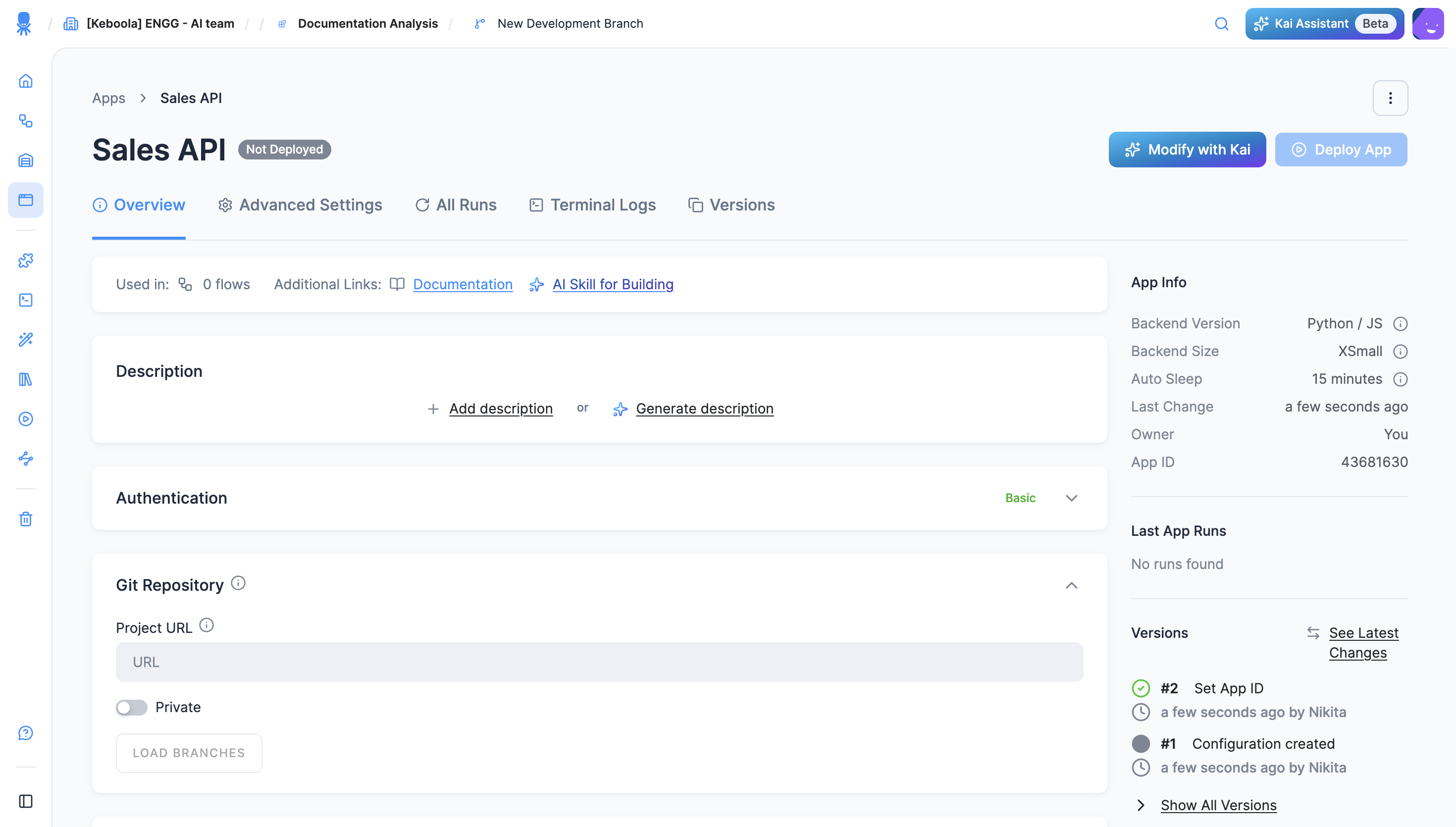
Section titled “How a Python/JS app runs”Keboola clones your repository, installs dependencies, starts your app using the process configuration you provide, and serves it behind a secure URL through an internal web server. You don’t manage servers, ports, or Docker — only your code and a small configuration folder.
How development works
Section titled “How development works”The day-to-day loop, whichever way you build:
- Code lives in a Git repository (yours, or one Kai manages for you). The typical scaffold is a frontend (
src/App.tsx, React) plus server-side API routes (server/index.ts, Express) — see App structure. - Data access happens server-side. Your backend queries Storage (Storage API or real-time SQL via the Query Service) using the auto-injected
KBC_TOKEN— the browser never sees the token; the frontend only talks to your own API routes. Environment variables and code patterns are in Reference → Data access. - Ship a change: push to the connected branch and hit Redeploy (Keboola re-clones, reinstalls, restarts) — or, if Kai built the app, just tell Kai what to change and approve its edit.
- Debug on the app detail: the app’s page shows deployment state and logs, and the deploy wizard controls backend size and the inactivity timeout. The app sleeps when idle and wakes on the next visit.
Build faster with AI Kit
Section titled “Build faster with AI Kit”The AI Kit gives your coding assistant (Claude Code, Cursor, Copilot) Keboola-specific skills — including the Data App Developer plugin with a validate → build → verify workflow for apps. When you create a Python/JS app, the dialog also offers Download Skill — a ready-made skill file teaching your assistant the correct app structure, deployment config, and Keboola APIs. Grab it there, or install the full kit:
/plugin marketplace add keboola/ai-kit/plugin install dataapp-developerBuild a Python/JS app
Section titled “Build a Python/JS app”You can build one three ways:
- Build with Kai — describe it and let Kai generate the app. The fastest path. (Building Python/JS with Kai requires the Kai-in-E2B backend on your project; without it, Kai builds Streamlit. )
- Create the app manually — set the app up from the interface and point it at a Git repository that contains your code and configuration.
- Build locally — develop with your own tools and Git account, then sync to your project. The home of full-control development.
Building it yourself? When you create a Python/JS app, Keboola offers a downloadable AI skill (for Claude Code, Cursor, or Copilot) that teaches your assistant the correct app structure, deployment config, and Keboola APIs — see Develop with an AI coding tool.
Reference
Section titled “Reference”Environment variables, the app scaffold, backend versions, and limits live in the Apps reference.